

An event notice can be clear enough to read and still leave a calendar field unresolved. 03/04 may use either month-first or day-first order. "Saturday, October 17" may omit the year. An event that ends at 12:30 AM may cross into the next date. A time near a daylight saving change may occur twice or not occur at all.
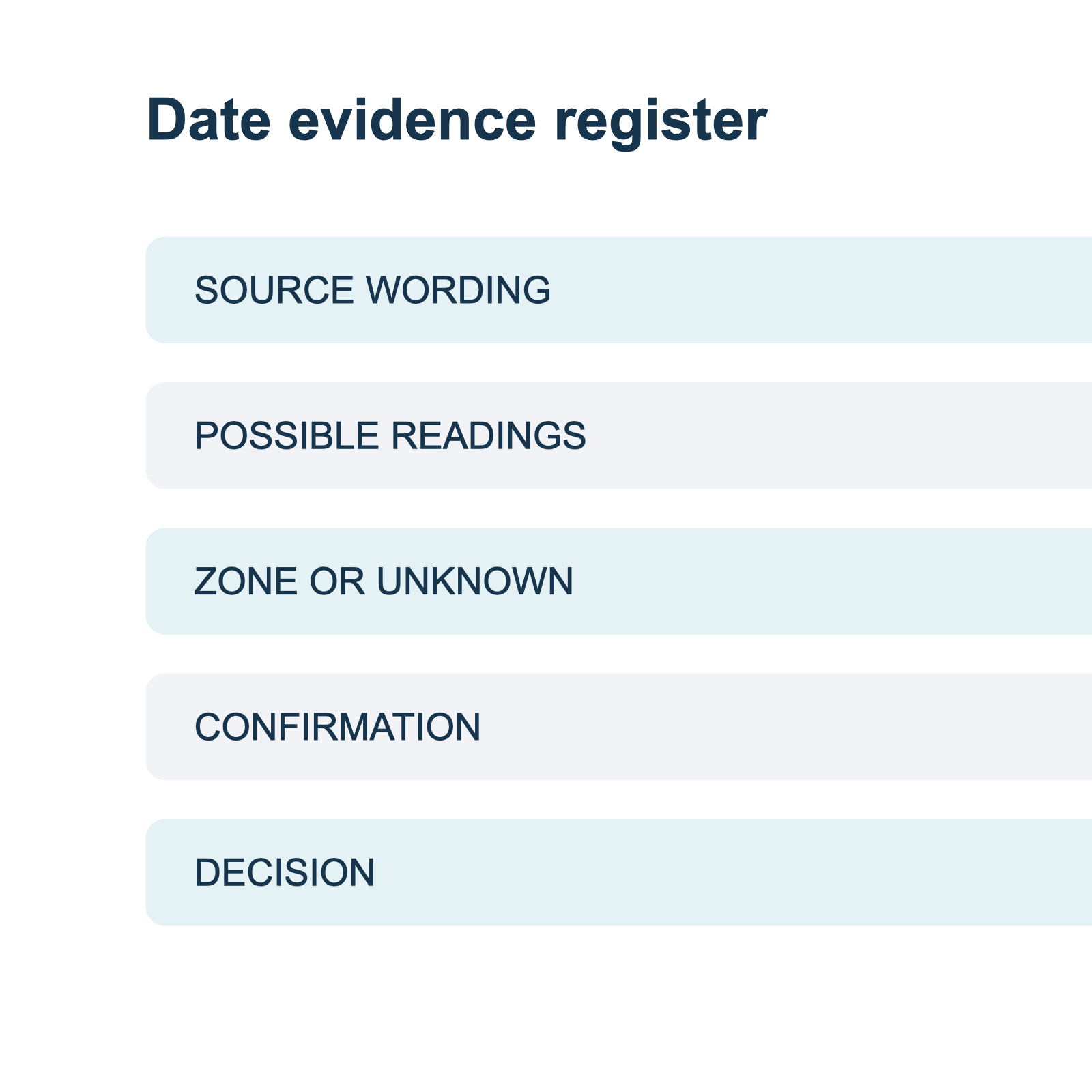
The practical answer is to keep the source wording, possible interpretations, and evidence for a choice together. This template gives you a small review record to use before sending an event to a calendar. It also leaves room for a question when the notice does not contain enough information.
Preserve the review trail
A screenshot may arrive without a sender's full message. If the original caption explains the date, keep a reference to that caption with the image. If an organizer answers by email, record the answer's date and the relevant sentence. Avoid copying unrelated personal information into a shared event entry.
When the notice is later revised, a reader should be able to tell which version supported the decision and which field changed. A link to the organizer's current page may change over time, so a note of what you saw and when is useful alongside it. This record helps you revisit a choice without treating an old screenshot as a current schedule.
Copy the event date review template
| Field | What to record |
|---|---|
| Source | Link, image name, message, or other way to find the original notice. |
| Event identity | Title, organizer, venue, and session identifier if present. |
| Exact date and time | Copy the source wording, including punctuation, weekday, AM or PM, and zone. |
| Date roles | Label publication, registration cutoff, doors, event start, and event end separately. |
| Possible readings | Write each valid interpretation with a spelled-out month and year. |
| Time zone | Record the named zone or offset from the source; otherwise mark it missing. |
| Supporting evidence | Identify the organizer's clarification or matching current event page. |
| Open question | Write the precise detail still needed and who can answer it. |
| Decision and status | Record confirmed, unresolved, or a clearly labeled personal reminder. |
Keep source text and your interpretation in separate fields. If a flyer does not give a time zone, the record should not claim that the organizer specified one. If a calendar suggests a default end time, that default is not source evidence. A user can choose a reminder or a provisional duration, but should be able to distinguish that choice from an organizer's instruction.
The Office for National Statistics date guidance uses full month names in its own content. That is a useful convention for writing a clarification request: "March 4, 2027" is easier to distinguish from "April 3, 2027" than 03/04/2027. It does not establish the date order used by someone else's notice.
First pass: identify the event
Before interpreting a number, identify which occurrence the notice describes. Record the organizer, title, venue or online meeting, and any session name. An annual conference can reuse a title and location; a multi-session program can have several dates. Matching on the title alone can connect the notice to the wrong year or session.
If you find a second page, compare these identifying details before using it as evidence. Prefer a current organizer page or a direct answer from the organizer. A repost can be useful for finding the source, but its timestamp may describe the repost rather than the event. If the two sources disagree, retain both and ask which one is current.
UCLA's event-planning guidance distinguishes event schedules by date, time, and location. That is useful context for checking an event's identity. Your review record should preserve those fields even when only one of them is ambiguous.
Second pass: assign each date a role
The first date on an image may be the publication date, a registration cutoff, or the event itself. Look for the label next to each date. A deadline can deserve its own reminder, but it should not silently become the event start.
Suppose a fictional notice says it was posted on December 12, 2026, registration closes January 8, 2027, and the workshop takes place January 16, 2027. The three dates are distinct. Entering the post date as the workshop date would create the wrong event even though the number was copied accurately.
For a detailed example, use the publication date and event date guide. If an updated notice changes a date, record the earlier and later statements and identify which occurrence is affected. Do not assume a new notice authorizes editing an entire recurring series.
Worked example 1: an ambiguous numeric date
The following fictional notice is intentionally incomplete:
Community repair workshop. Date: 03/04/2027. Time: 2:00 PM. Venue: Harbor Room. Contact the organizer to register.
| Review field | Entry |
|---|---|
| Source phrase | 03/04/2027, 2:00 PM. |
| Month-first reading | March 4, 2027. |
| Day-first reading | April 3, 2027. |
| Zone | Not stated. |
| Status | Unresolved; both dates are valid readings. |
| Question | Does the Harbor Room workshop occur on March 4 or April 3, and which time zone applies? |
Neither a browser locale nor a calendar default confirms the organizer's date order. Ask for the month in words. If the answer gives a full date, keep it with the notice and make sure it identifies the same workshop. If the answer gives a different location or session, ask whether the details describe the same event.
A number greater than 12 can eliminate one ordinary month/day interpretation, but it does not prove the whole notice is current or typo-free. The numeric date check covers both cases and explains when to leave a field unresolved.
Worked example 2: the midnight boundary
This fictional notice supplies both dates and a named zone:
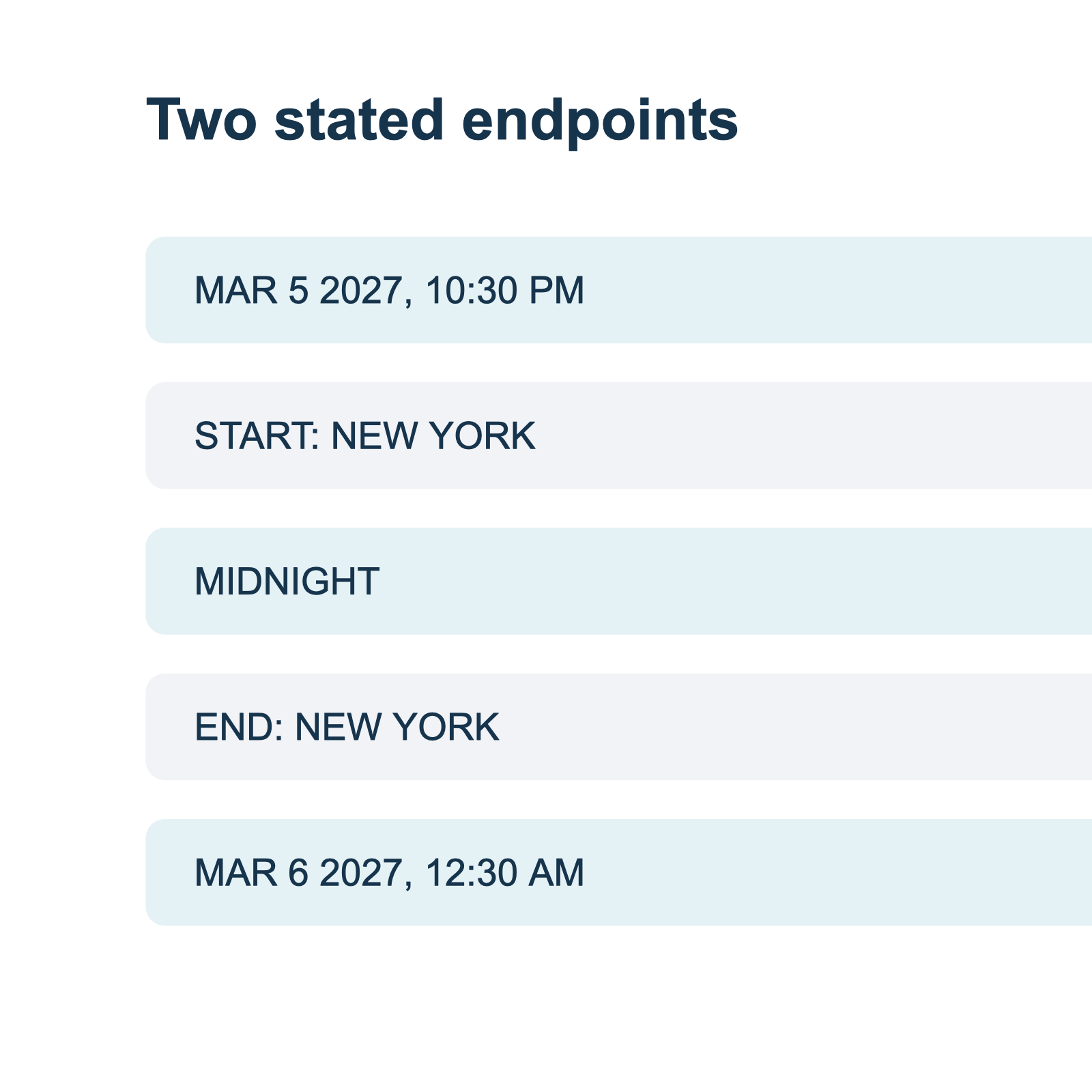
Night market volunteer shift. Starts Friday, March 5, 2027 at 10:30 PM. Ends Saturday, March 6, 2027 at 12:30 AM. Location: Market Hall. Time zone: America/New_York.
| Review field | Entry |
|---|---|
| Start | March 5, 2027, 10:30 PM, America/New_York. |
| End | March 6, 2027, 12:30 AM, America/New_York. |
| Date boundary | The end is on the following date. |
| Duration | Two hours for this example; no daylight saving transition is involved. |
| Status | Dates and zone stated in the fictional source. |
This example is not a real event. It illustrates why start and end should be reviewed as separate date-and-time pairs. If a calendar draft displays March 5 for both values, the end precedes the start. If the notice had said only "Friday 10:30 PM to 12:30 AM," the next-day end would be a plausible interpretation, but a confirmation would be safer than silently treating it as a quoted fact. See the overnight event guide for additional cases.
Third pass: check the year and weekday
A weekday is a useful cross-check, not a guarantee. If a flyer says "Saturday, October 17" without a year, you can compare possible years, but a match does not prove which one the organizer intended. The flyer may be old, reused, or contain a typo. Record the candidate year and ask for confirmation when the source does not establish it.
Likewise, a page's copyright year is not necessarily the event year. The publication date may be in one year while the event is scheduled for the next. The missing-year guide includes a checklist for distinguishing those fields.
If the weekday and the written date conflict, preserve both. Ask the organizer to restate the date with the month and year. Do not correct the notice by choosing the weekday or the number that feels more plausible.
Fourth pass: verify time zone and clock changes
A clock time needs context before it can represent a single instant. For an in-person event, the venue's location may help identify the zone, but the notice must make the location clear. For a remote event, do not infer the organizer's time zone from your own location. Ask for a named zone or an explicit offset when it is absent.
NIST explains US daylight saving time rules, including the skipped spring hour, repeated fall hour, and areas that do not observe the change. Other regions can use different rules. If an event is in a repeated or skipped local hour, ask the organizer for a precise instant. A calendar's automatic choice is not confirmation of intent. The daylight saving time check works through these cases.
A destination can show a confirmed instant in a different local time. Apple's Calendar documentation describes event and display time zones on Mac; Google Calendar's guidance describes its handling of UTC and regional rule changes. Compare both the date and time in the organizer's zone with the destination's display before saving.
Fifth pass: review the handoff
Before sending an event, compare each proposed field with your record:
- Confirm the title and location identify the intended occurrence.
- Compare the start date, start time, and zone with the source or organizer's clarification.
- Check the end date and time independently, particularly around midnight.
- Keep registration deadlines, doors, travel, and personal reminders distinct from the event start.
- If a field remains unresolved, cancel or return to the source until you can make a deliberate choice.
- After a confirmed handoff, inspect the destination calendar entry and compare it with the intended instant.
A screenshot-to-calendar workflow can organize a notice into a reviewable form, while the image-to-calendar field guide describes the fields to check. The original image remains the reference when a proposed value looks surprising.
Recap's documented flow begins with a readable Recap Document, then offers Calendar, Workspace, and Learning as parallel next steps. You can use a source-to-structured-document workflow to retain the notice, the review record, and the answer to any open question. Client presentation and available destinations can differ; review the actual controls and values before confirming.
If a correction arrives later
Keep the original notice and the correction as separate records, including their dates. Compare the event title, venue, and session before deciding whether the correction replaces the original date. If a revised notice says only "the event has moved to Friday," ask for the full date and whether the time and location also changed. A new calendar entry may duplicate an existing one; check the destination for the earlier occurrence before making your own edit.
A correction can also leave an older screenshot circulating. Share the organizer's current notice or the specific clarification with anyone who relies on the old one, when appropriate. Do not delete a past entry or alter a series merely because another occurrence has changed.
Example of a Recap Document
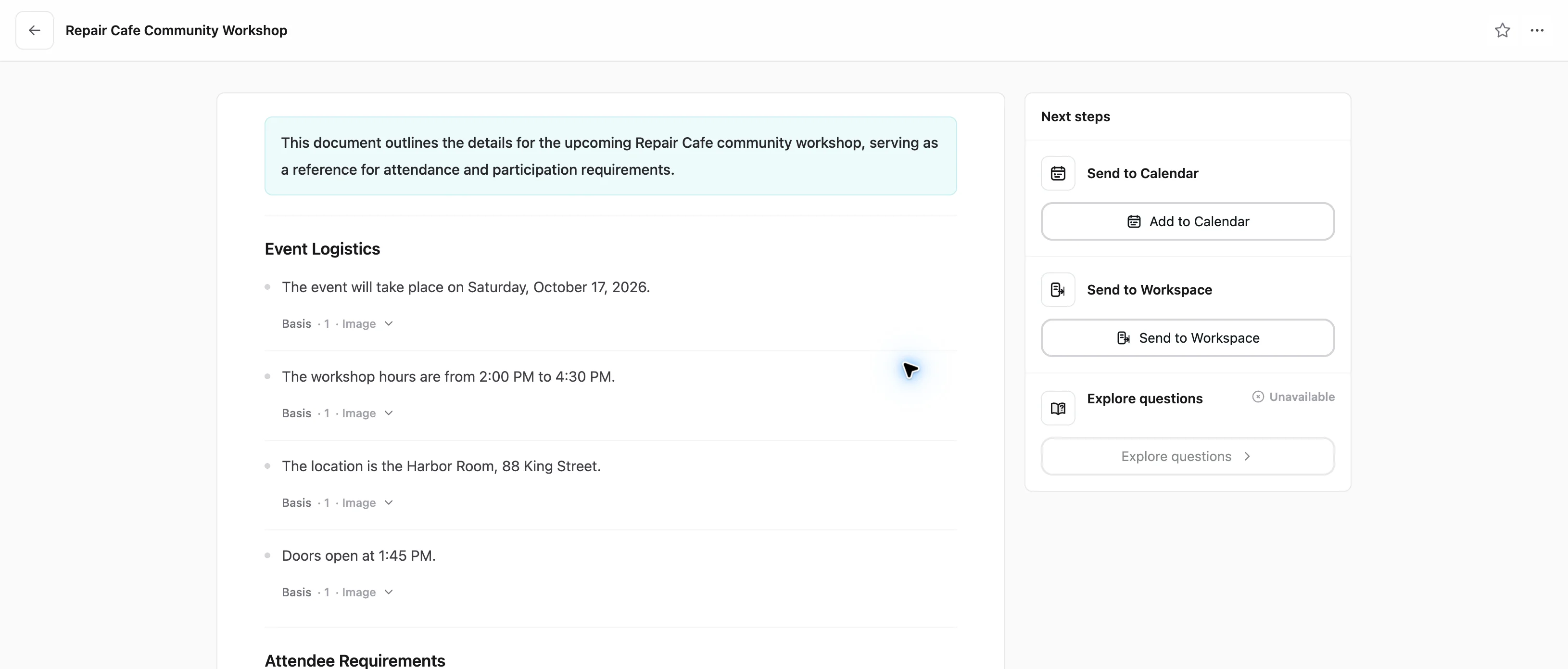
This current Web screenshot shows a synthetic Repair Cafe document with the date, time, venue, and a separate door time. Calendar and Workspace controls are visible beside it. The Learning control is shown as unavailable for this particular source; this observation does not establish availability for other sources. Review a calendar draft against the source before sending it.
Questions to send the organizer
A short question is easier to answer when it names the event and presents the ambiguity:
- "For the Harbor Room workshop, does 03/04/2027 mean March 4 or April 3?"
- "Does the shift begin Friday night and end at 12:30 AM Saturday?"
- "Is the stated 1:30 AM before or after the clock change, and what zone or UTC offset applies?"
- "Is the date beside the post the publication date, or the date of the session?"
Record the answer and when it was received. If it changes another field, such as the venue or end time, review that field too. The goal is a calendar entry whose date and time can be traced to the same event the organizer described.
Continue in Recap
Turn this source into a Recap Document
Make it easier to read, then send time-based details to Calendar, export it to Workspace, or start PBL Learning.