
When time matters
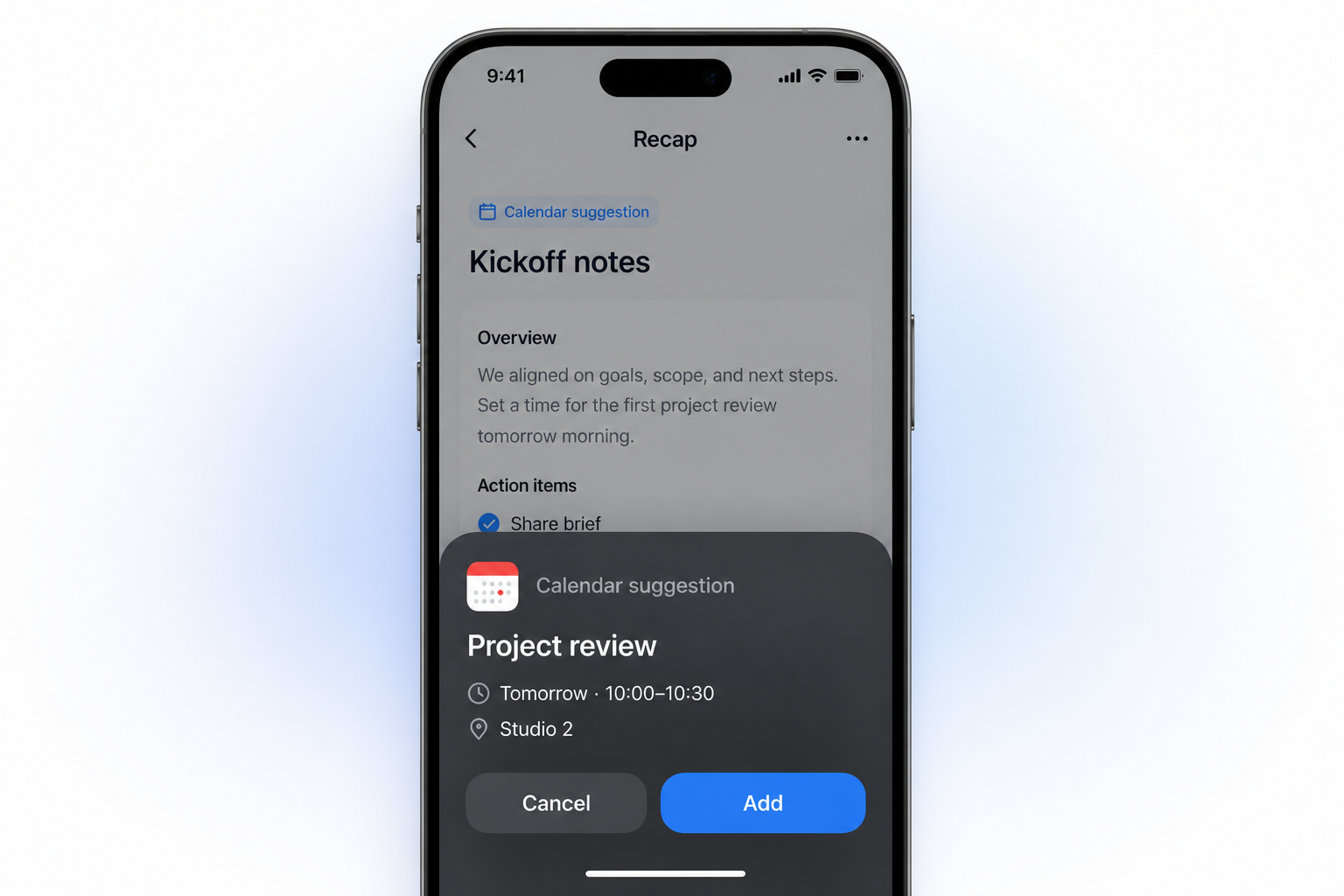
Turn a screenshot into a reviewable Calendar Sheet
When an image contains a meeting, class, deadline, appointment, or reminder, Recap can surface the time-based details for review.
What it helps with
A clearer way to inspect the material.
- Extract dates, times, locations, and useful context
- Confirm, edit, or cancel before anything is sent
- Keep Workspace and Learning available alongside Calendar
Keep the boundary clear
What it does not do
It does not send an event without your confirmation or replace the calendar you already use.
Bring in
Sources you already have.
- Webpages
- PDFs and documents
- Images
- YouTube videos
- Presentations
Recap Document
A document mode that fits the source.
- Action
- Decision
- Understanding
- Reference
How it works
From source to a useful next step.
- 01
Bring in one source
Add a webpage, document, image, YouTube video, or presentation to Recap.
- 02
Read the Recap Document
Recap organizes the source into an Action, Decision, Understanding, or Reference document.
- 03
Choose the next step
Send time-based details to Calendar, export the document to Workspace, or start PBL Learning.
Keep exploring
More ways to work with a source.
Recap tool
Source to Document
Turn a webpage, PDF, image, video, or presentation into a structured readable Recap Document, then choose a useful next step.
Open toolRecap tool
Text Simplifier
Make dense source material easier to understand by turning it into a structured readable Recap Document.
Open toolRecap tool
Source to Workspace
Turn a source into a structured Recap Document and export it to the notes or workspace tools you already use.
Open toolFrom the journal
Read the deeper guide.
Guides and Tutorials
What to Do With a Cancelled Event Screenshot
Review a cancellation screenshot before removing an event. Resolve its date, ownership, and occurrence scope while preserving unaffected sessions.
Guides and Tutorials
How to Review a Rescheduled Event Screenshot
Review a rescheduled event screenshot against the original entry. Check identity, new times, ownership, and duplicates before changing your calendar.
Guides and Tutorials
A Schedule Change Review Template for Event Screenshots
Use an original schedule change worksheet to compare notices, resolve event identity and occurrence scope, and verify edits in your own calendar.
Guides and Tutorials
How to Turn a Screenshot Into a Calendar Event
Turn an event screenshot into a reviewable calendar event. Check title, date, time zone, location, and competing time signals before adding it.
FAQ
Questions before you start.
Ready when you are