

A multilingual appointment letter can contain a clear date and time while leaving the most important meaning uncertain. The document may mix a local date format with an English time zone, use a translated clinic name, or place arrival instructions in a second language. A calendar entry made from only the largest numbers can move a sensitive appointment to the wrong day or hide a preparation requirement.
Use a review-first workflow: preserve the original letter, identify the language and locale of each field, translate only what is needed to understand the action, and keep the original wording beside the proposed calendar values. If a date, time, location, or instruction remains uncertain, leave it unresolved and ask the sender or provider. Do not turn a plausible translation into a medical fact.
The short version
When an appointment letter uses more than one language:
- Keep the original document and any message that delivered it.
- Identify the issuing organization, country, locale, and date convention.
- Separate the appointment time from arrival, registration, and preparation times.
- Record the source phrase next to every translated calendar field.
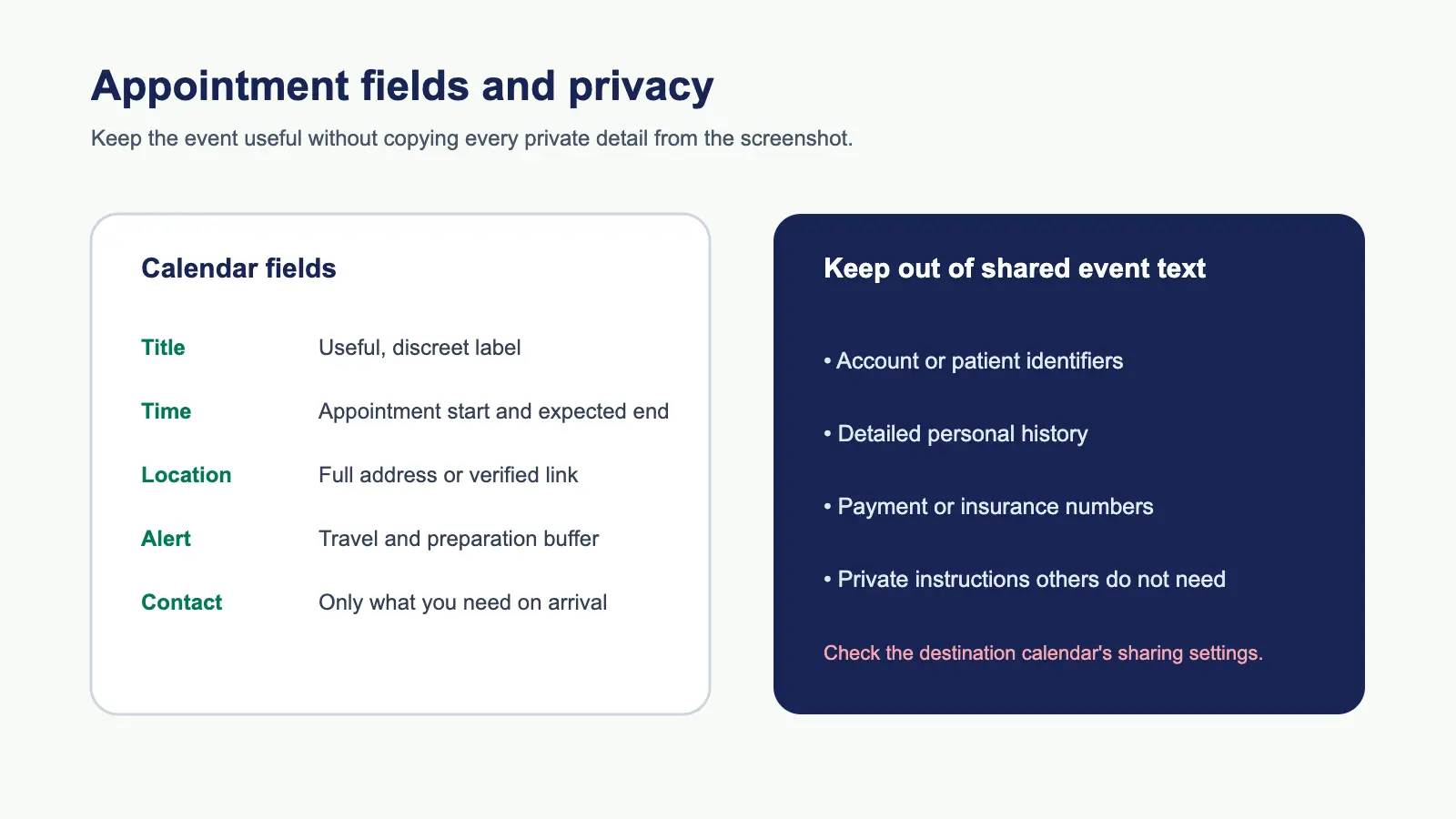
- Keep private details out of shared calendars and public examples.
- Review the complete event before sending it to Calendar.
Recap's Screenshot to Calendar tool can help prepare a reviewable Calendar Sheet when the source has a strong time signal. The broader appointment screenshot guide covers arrival times, preparation notes, and privacy. For ambiguous numeric formats, use the date and time extraction guide as a second check.
Preserve the original before translating
Save the original letter, not only a translated copy. If the document came as a screenshot, retain the full frame so that headers, footnotes, stamps, and provider contact details remain available. Keep the delivery message too; phrases such as “your appointment is next Monday” depend on when the message was sent.
Create a small source table before entering a calendar field:
| Source phrase | Working meaning | Calendar role | Confidence |
|---|---|---|---|
| Original date phrase | Local date as written | Date | Verify locale |
| Original time phrase | Stated appointment time | Start | Clear or ask |
| Arrival instruction | Come 30 minutes early | Alert or note | Clear |
| Department name | Provider's named unit | Location or notes | Preserve wording |
This table keeps translation separate from interpretation. It also gives you something to show a family member or provider if a field needs confirmation.
Identify the locale before reading numbers
Numeric dates are not universal. 04/07/2026 can represent 4 July or 7 April. A letterhead, phone number, address, language, and written month can provide context, but none should be treated as proof in isolation.
Check:
- The country or region named by the provider
- The language used for month and weekday names
- Whether a written month appears elsewhere
- The day of week printed next to the date
- The appointment portal or message that repeats the date
If the evidence still supports two interpretations, keep both possibilities visible and ask. RFC 5545 defines precise calendar date and date-time representations after a date has been resolved. It cannot resolve a human-language ambiguity in the source.
Separate appointment, arrival, and preparation times
Appointment letters often contain several times:
- The scheduled consultation or service
- Registration or check-in
- A required arrival window
- A fasting or medication deadline
- A follow-up appointment
The appointment start belongs in the primary event. Arrival can become an earlier alert or a note. A preparation deadline may deserve a separate reminder if it requires action on another day. Do not move the primary event earlier merely because the letter says to arrive early.
For example, “appointment 14:00, arrive 13:30” normally becomes a 14:00 event with a 13:30 arrival reminder. If the letter says “no food after 22:00 the previous evening,” that is a separate preparation instruction, not an invented appointment start.
Google's Calendar Events API reference distinguishes start, end, description, location, and reminders. That distinction is useful for a translated letter because the exact source wording can remain in notes while the event fields stay concise.
Translate the action, not every sentence
You do not need to rewrite a whole letter to create a safe calendar entry. Translate or clarify the pieces that determine the action:
- Appointment identity
- Date and time
- Time zone or local venue
- Arrival and preparation instructions
- Location, department, and contact path
Keep the original phrase where a translation could change the meaning. Terms for “arrive,” “register,” “check in,” “fast,” “reschedule,” and “bring” may have different operational consequences. If a word is unfamiliar or abbreviated, copy it exactly and flag it rather than guessing.
Do not infer a diagnosis, treatment, urgency, or eligibility from a translated appointment letter. The calendar needs an actionable reminder, not a medical interpretation. A provider or qualified translator should resolve clinical meaning.
Handle names and locations carefully
A translated provider name may not be the same as the official name used at the venue. Keep the original organization and department names in notes. For the location, preserve the full address, building, floor, and entrance when stated. Do not replace a named clinic with a guessed map result.
If the letter contains a phone number or booking reference, decide whether it belongs in a private note. Avoid putting sensitive identifiers in a shared family or work calendar. A screenshot containing another person's details is not permission to invite attendees or forward the event.
Apple's EventKit documentation for creating events and reminders describes event properties such as title, start, end, calendar, alarms, and recurrence. It also sits within a permission model. Permission to access a calendar does not make a translation accurate or make private information appropriate for a shared calendar.
Review time zones and display settings
Most in-person appointment letters use the local time of the venue. Remote consultations and travel appointments may state a different zone. Record an explicit zone when the source includes one. A device configured for another region can display a different hour after conversion.
Read the proposed event as a sentence in the intended local time:
Follow-up consultation, 9 October 2026 at 14:00, local time at the Central Clinic.
Then compare that sentence with the source. The calendar event timezone review checklist covers named regions, daylight-saving changes, and travel cases. If the letter does not establish a zone, use the provider's location or ask rather than silently converting.
A worked fictional example
Consider a fictional letter with a bilingual header and these lines:
- Date:
07/11/2026 - Appointment:
10:00 - Arrival:
09:30 - Location: “Building B, outpatient registration”
- A note in another language that appears to request a referral document
The date remains unresolved until the provider's locale or a written month confirms whether it means 7 November or 11 July. The appointment start is 10:00, not 09:30. The arrival time can become an alert. The referral note should remain in the original wording until a qualified person confirms what document is required. The event should use a private calendar unless the user deliberately chooses a shared destination.
This is a field-review fixture, not medical advice or a translation benchmark. It illustrates where a calendar workflow must stop and ask.
How Recap fits the review
Recap keeps a source-grounded Recap Document before presenting next steps. When the letter contains a strong time signal, a Calendar Sheet can surface a proposed title, date, time, location, and notes. You can confirm, edit, or cancel before sending it.
That order matters for multilingual material. The original image stays near the structured result, so you can compare a translated field with the source. Calendar is one option; a private workspace document may be better when the letter is mostly reference or contains unresolved instructions. The complete screenshot-to-calendar guide explains when to keep a source as a document instead of creating an event.
Recap does not silently decide a medical meaning, invite people named in a letter, or write an unreviewed event. The useful automation is reducing transcription while keeping the uncertainty visible.
Privacy checklist
Before processing or sharing an appointment letter, confirm:
- The image is stored where the intended people can access it.
- Names, identifiers, and contact details are not exposed in a public example.
- A shared calendar is not receiving private notes by accident.
- The original document remains available for later correction.
- Any translation uncertainty is marked instead of rewritten as fact.
- A provider or qualified translator is consulted for clinical meaning.
If a public tutorial uses an appointment example, use a fictional letter or redact every identifying field. Explain the workflow without reproducing a real person's details.
Final review before Calendar
Read the final proposal in this order:
- Is the appointment identity correct?
- Is the date unambiguous in the source's locale?
- Is the primary time separate from arrival and preparation?
- Is the local or stated time zone correct?
- Does the location match the provider's wording?
- Are private details in the right calendar and note field?
- Did a qualified person resolve any clinical or translation ambiguity?
If one answer is no, edit or cancel. A delayed, confirmed appointment is safer than a polished event built from an uncertain translation. Preserve the letter, keep the source phrase beside the calendar value, and send only what you can explain.
Continue in Recap
Turn this source into a Recap Document
Make it easier to read, then send time-based details to Calendar, export it to Workspace, or start PBL Learning.