

Read the PDF for a reason
A long PDF can feel like a wall of pages when you start at page one and try to remember everything. Choose a question before reading. You may want to understand a result, compare two approaches, find a recommendation, or decide whether a claim applies to your work.
Then use the PDF as evidence. Make a short map of its structure, save the location of the passages that matter, and write questions that move from orientation to explanation and limits. The aim is a checkable understanding of one source, not a complete substitute for reading it.
A five-step path through a dense PDF
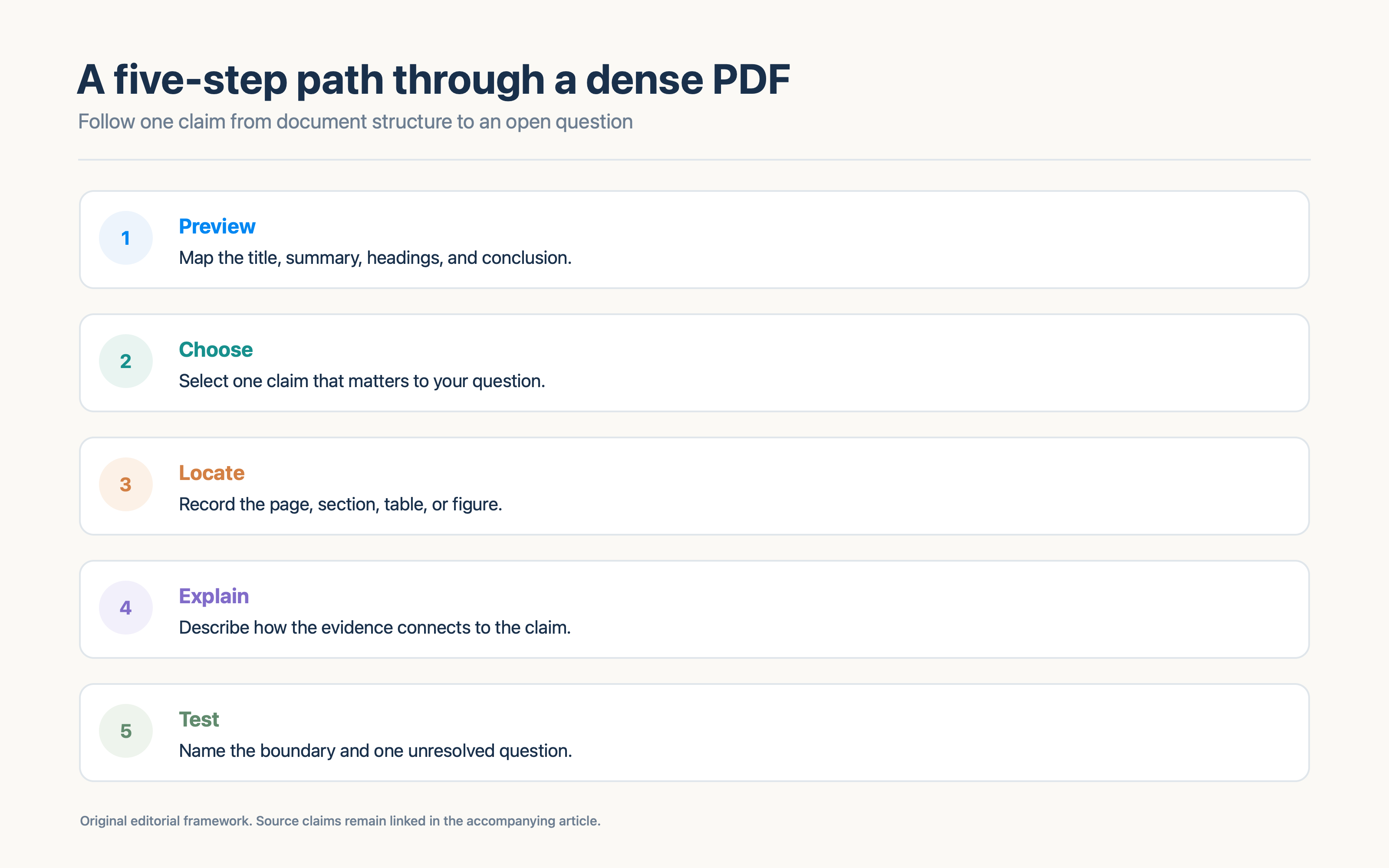
1. Preview its structure
Read the title, abstract or summary, contents, headings, and conclusion. Record the document's main question in your own words. For a research paper, note where the authors describe methods and results. For a policy or technical document, locate scope, definitions, recommendations, and exceptions.
2. Choose one claim to follow
Pick the claim that matters to your question. Avoid highlighting every sentence. Write the claim down and note whether the PDF presents it as a result, proposal, interpretation, or background.
3. Locate the evidence
Record the page and section, plus a figure or table if one carries the support. Look at the words around the highlighted line. A sentence can change meaning when a limitation or comparison sits in the next paragraph.
4. Explain the link
Ask how the evidence supports the claim. If the document gives a recommendation, what observation or reasoning connects the evidence to that recommendation? If you need to add a step that the authors do not provide, label it as your interpretation.
5. Test the boundary
Ask what the PDF does not establish. Check the study design, intended audience, sample or system, time period, assumptions, and limitations where relevant. Then write one unresolved question that would guide further reading.
Work through a public PDF example
Karpicke and Blunt's paper on retrieval practice and concept mapping is available as a public copy hosted by Yale's Center for Teaching and Learning. Its published abstract says the researchers found greater gains in meaningful learning with retrieval practice than elaborative studying with concept mapping across science texts, including tests that assessed comprehension and required inferences. Public paper copy hosted by Yale · PubMed record
Try the five-step path:
- Preview: Note that the paper compares retrieval practice with elaborative study using concept maps.
- Claim: Write the abstract's reported comparison without expanding it into a universal rule.
- Evidence: Open the methods and results to identify the task, materials, conditions, and measures.
- Explanation: In your own words, explain how trying to retrieve information differs from building a concept map.
- Boundary: Ask which other materials, learners, or settings would need separate evidence.
This public PDF is the source for the example. The diagram in this article is a new reading aid, not a figure from the paper. Do not copy the paper's figures into another publication without checking its reuse terms.
Useful questions for different PDF sections
Abstract or executive summary
- What question does this document address?
- What result or recommendation does it foreground?
- Which detail would I need to inspect in the full text?
Methods or process
- What participants, documents, systems, or conditions are described?
- What did the authors actually compare or do?
- Which step might affect how I interpret the result?
Results or evidence
- Which outcome changed?
- Is the sentence reporting data, an example, or an interpretation?
- What table or figure supports the point?
Discussion or recommendations
- How do the authors explain the result?
- Which limitation do they acknowledge?
- What would need to be true for the recommendation to apply here?
These prompts are starting points. Adapt them to the PDF. A technical standard, a clinical article, a product report, and a policy paper have different kinds of evidence.
Keep citations and notes usable
For each note worth revisiting, record the title, author or organization, date if available, PDF link or file name, and page or section. Copy short quotations exactly and use quotation marks. Paraphrases should still link to the source. If a PDF viewer uses printed page numbers that differ from the file page count, note which system you mean.
A good note can be checked by someone else. “Page 12 says the method worked” may be too vague. A stronger note names the section, the comparison, and what the result supports. Keep your interpretation nearby, with a label so it is not mistaken for the document's own wording.
For a scanned PDF, text search may miss a heading or table. Check the page image when a citation looks incomplete, and compare extracted text against the visible page. A document can also use printed page numbers that differ from the viewer's file count. Use a stable heading or figure label with the page number so a reader can find the same passage. If an OCR tool supplies a quotation, verify it against the page before repeating it.
Combine one explanation prompt with one retrieval prompt
A reader can explain a sentence while looking at it and still have trouble reconstructing the main idea later. Add one prompt that asks you to describe the relationship with the PDF closed, then reopen it to correct details.
Studies on retrieval practice and self-explanation offer support for trying these activities in particular contexts. Karpicke and Blunt reported that retrieval practice outperformed elaborative concept mapping for meaningful learning in their science-text experiments. Chi and colleagues reported greater gains for students prompted to explain a circulatory-system passage than for students who reread it. Both papers examine specific tasks and learners; neither proves that a five-step PDF workflow works for every document. Karpicke and Blunt, 2011 · Chi et al., 1994
When an AI tool helps with a PDF
An AI tool can help identify candidate questions or organize a source into sections. Review the output against the document. Confirm direct quotations, values, page references, and the relationship between a claim and its evidence. If the tool cannot show where an answer came from, keep the answer provisional.
Avoid prompts that ask for a complete guide without naming your purpose. Ask for a small set of questions about a defined claim or section. Request an unresolved label when the PDF does not answer a question. A model should not fill gaps with details that sound likely.
Bring the source into Recap
Recap turns a selected source into a structured document before offering its next steps. Learning is one option for exploring a source through question cards and mind-map answers. Calendar and Workspace remain available for sources that need those next steps. When you use Learning with a PDF, keep the original document close and use its page locations to verify explanations.
One reading session can end with a short record: the claim you followed, its evidence location, a one-sentence explanation, one challenge question, and the issue you would investigate next. That note is easier to revisit than a full paraphrase of every page. It also gives a later workspace export a clear purpose, whether you keep the result in notes, a document, or a task system.
Try Source to PBL Learning for question-led exploration. If the PDF needs to become more readable first, use Source to Structured Document. The question-driven learning guide provides a longer source-to-reflection method. For a PDF-to-notes process, read how to turn a PDF into structured notes.
Continue in Recap
Turn this source into a Recap Document
Make it easier to read, then send time-based details to Calendar, export it to Workspace, or start PBL Learning.