

Give every study prompt a source anchor
An AI-generated study guide is useful only when you can check how its statements relate to the material you provided. A clean layout and confident explanation do not establish accuracy. Keep the original source nearby, attach a location to important claims, and separate what the text states from what the guide infers.
This guide offers a practical structure for that review. It is an editorial checklist, not a validated learning program. Use it to draft study prompts from one article, report, PDF, or other source, then confirm each answer against the source itself.
Start from one source and one purpose
Write down what you need to learn. You may need to recall a definition, compare two proposals, understand a process, or decide whether a recommendation applies to your situation. A useful purpose helps filter out questions that look interesting but do not help with the source at hand.
Keep the source in a form you can reopen. For a PDF, note the page and section heading. For a web article, retain the link and heading. For a report with tables or figures, name the table or figure. The location can be as important as the question because it lets you verify the answer later.
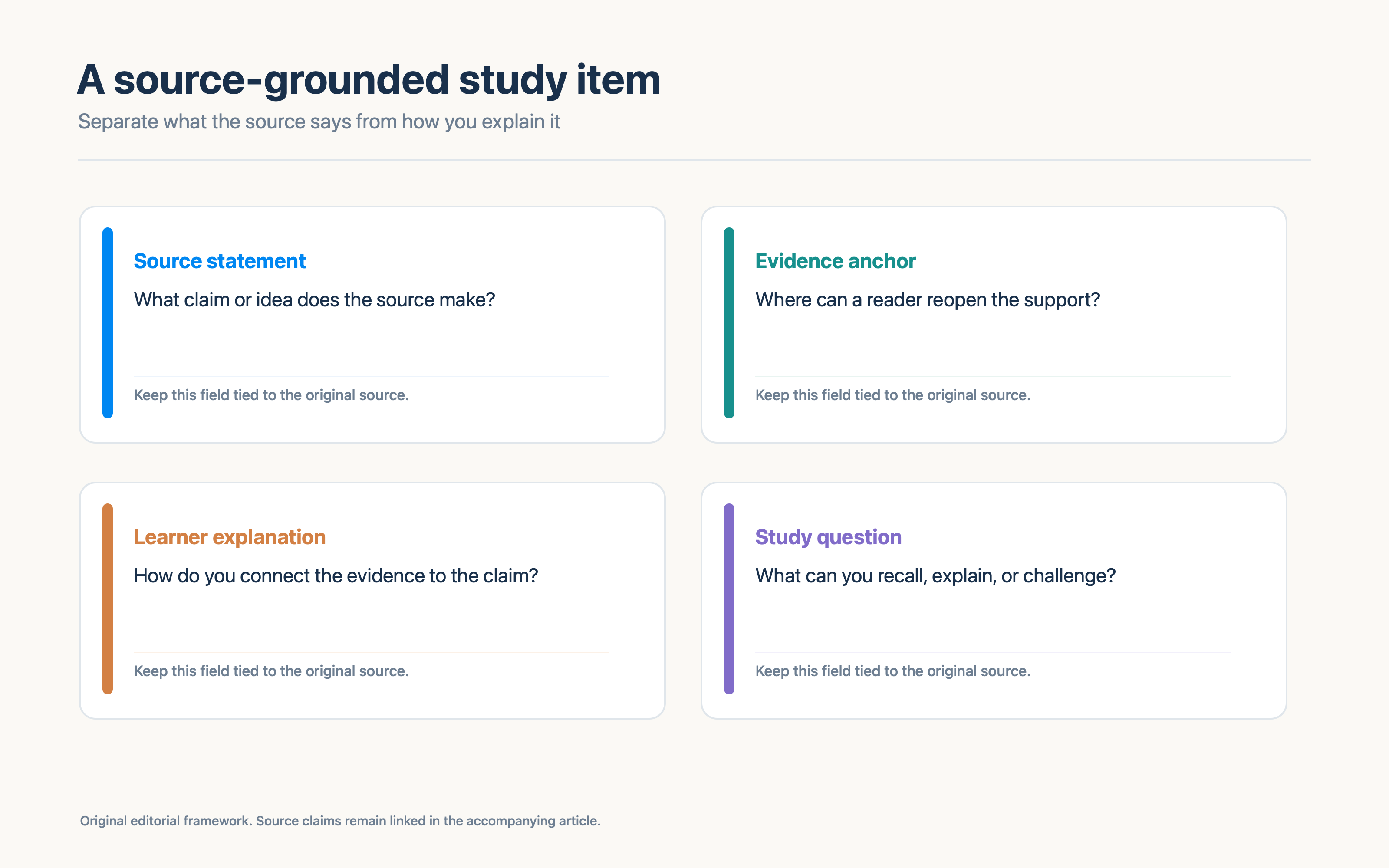
Use four fields for each study item
| Field | What to record | Check |
|---|---|---|
| Source statement | The claim or idea the source makes | Is this a direct statement or a paraphrase? |
| Evidence anchor | A page, section, table, or figure | Can another reader find the passage? |
| Learner explanation | Your own concise explanation | Does it follow from the evidence? |
| Study question | A prompt that asks you to recall, explain, compare, or challenge | Can you answer it without inventing missing details? |
Add a fifth field when needed: uncertainty. Use it to record missing context, a term you need to define, or a question the source cannot resolve.
A filled item might refer to Karpicke and Blunt's 2011 paper. The source statement could be: the authors report greater meaningful-learning gains with retrieval practice than with elaborative studying using concept mapping. The evidence anchor is the paper's abstract and, for a fuller check, its methods and results. The learner explanation might say that retrieval asks a learner to reconstruct information from memory. The study question could ask what the two conditions were and what the reported comparison does not show.
This is a source-based example, not a general guarantee about how AI study guides work. The research article compared learning conditions in its own experiments; it did not test an AI study-guide generator. Karpicke and Blunt, 2011
Ask questions that lead to checkable answers
Use several prompt types, with each one tied to a source location:
- Recall: What is the paper's main claim?
- Evidence: Which passage or result supports it?
- Explanation: How would you describe the relationship in plain language?
- Comparison: Which method or option did the authors compare?
- Challenge: What condition or missing evidence limits the conclusion?
- Reflection: What would you need to know before applying this elsewhere?
A generated guide can help draft these questions, but a reader still needs to inspect them. Remove questions whose answers are not in the source unless they are clearly marked as outside research. Break apart questions that combine several independent claims.
Separate quotations, paraphrases, and interpretations
A quotation should match the source word for word and include enough surrounding context to preserve its meaning. A paraphrase changes the wording while retaining the source's point. An interpretation explains what you think the point means or how it connects to another idea.
Give each one a label when the distinction could be confusing. A short study card can include:
- Source says: a close paraphrase or short quotation.
- Found at: a page, heading, table, or figure.
- I understand it as: your explanation.
- I still need to check: a question or limitation.
This structure makes it easier to spot an answer that sounds plausible but cannot be traced to the source. If a guide supplies a page number, quote, or result, verify it directly. Do not treat generated citations as proof that a source supports a statement.
Use explanation and recall with clear limits
Self-explanation is one useful study activity. In a study of eighth-grade students reading an expository text about the circulatory system, Chi and colleagues found that students prompted to explain ideas showed a greater pretest-to-posttest gain than students who reread the material. The study involved a small group and a specific text; it is a reason to try explanations, not a promise that every generated explanation is accurate. Chi et al., 1994
Karpicke and Roediger's experiment with foreign-language vocabulary found that repeated testing after a correct answer improved delayed recall, while repeated study alone had no effect in the reported comparison. That result supports including a prompt that asks you to retrieve an idea before looking. It does not remove the need to check what you recalled. Karpicke and Roediger, 2008
These experiments studied particular learners and materials. They do not establish that every question format is helpful or that an AI answer accurately reflects a source. Keep the learning activity and the source verification as separate steps.
Run a verification pass
Before using the guide, ask:
- Is every factual statement traceable to this source or clearly marked as outside context?
- Does every important answer include a location someone can reopen?
- Did a summary turn a possibility into certainty?
- Are direct quotations exact and kept short?
- Does the explanation distinguish evidence from inference?
- Are sample size, scope, timing, and conditions represented when they matter?
- Does any question assume an answer the source never gives?
- What remains uncertain?
If a statement fails one check, revise or remove it. If the source does not resolve an uncertainty, keep the question open or find another source. A blank or unresolved field is more useful than an invented completion.
When the source includes several layers, retain them. A paper may state an outcome, interpret its result, and discuss a possible application. A company report may distinguish measured performance from a forecast. Give each layer its own statement and evidence location. If two sources disagree, record each position with its own citation and compare method, date, scope, and definitions before choosing an interpretation.
Use a prompt that requires evidence
When asking an AI tool to draft questions from a document, be explicit about the source boundary. For example:
Use only the attached source for factual answers. For each study question, include the relevant heading, page, table, or figure when available. Separate direct source statements from your explanation. Label an unanswered question as unresolved. Do not invent citations, numbers, or page references.
This prompt states a review target. It does not guarantee that a model will comply. Check the result line by line against the document.
Where Recap fits
Recap's core flow creates a structured Recap Document from a source, then keeps Calendar, Workspace, and Learning available in parallel. Learning can help explore a selected source with question cards and mind-map answers. The source document remains the evidence to verify against, alongside courses, citation tools, and the reader's own judgment.
Use the Source to PBL Learning tool when you want question-led exploration. The structured document tool is a useful first step when the source needs organization. For a deeper workflow, read the PBL source-learning guide.
Continue in Recap
Turn this source into a Recap Document
Make it easier to read, then send time-based details to Calendar, export it to Workspace, or start PBL Learning.