

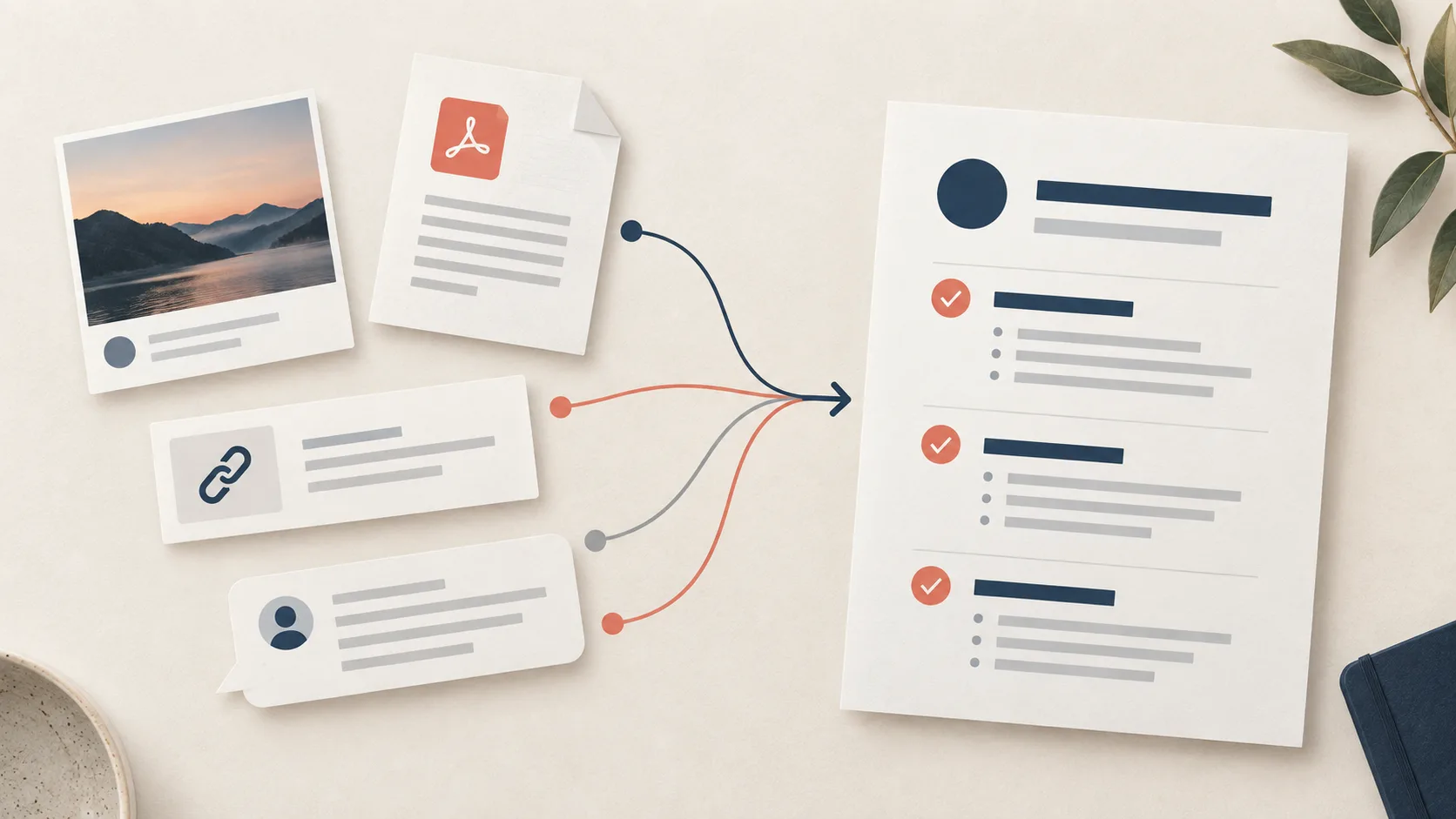
Most information work starts before the document does. A screenshot lands in a chat, a useful link is saved for later, a PDF arrives with a deadline, or a message thread carries a decision that nobody has written down yet. The first job is not to make any of those sources look polished. It is to preserve enough context that the next decision can be made without reopening every tab.
That is the practical meaning of moving from a raw source to a structured document. The source remains the evidence. The document makes the evidence readable, labels what is known, and shows which action is possible next. A short summary can be part of that result, but it is not the whole result when the source has dates, trade-offs, owners, or open questions.
Start with the job, not the format
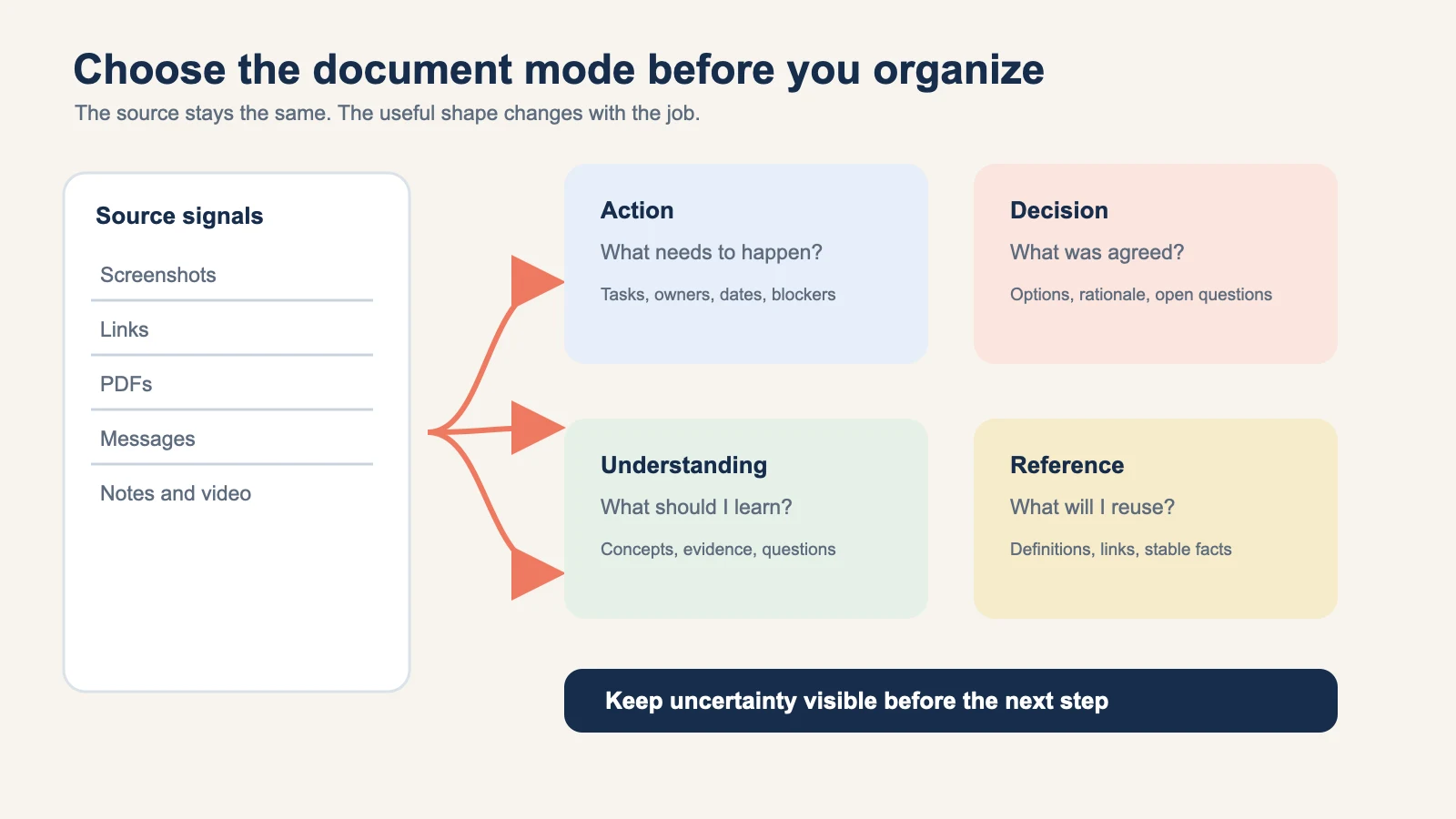
Before you organize anything, name the job the document needs to do. Four useful modes cover most incoming material:
- Action: turn facts into tasks, dates, owners, blockers, or a reviewable calendar handoff.
- Decision: set out options, trade-offs, rationale, and questions that still need an answer.
- Understanding: build a teachable explanation with concepts, evidence, and questions for further study.
- Reference: keep stable facts, definitions, links, and source context easy to reuse.
The same PDF can produce four different documents depending on why you opened it. A policy PDF may become an Action document when a team must complete a change. It may become a Reference document when you need a definition later. Choosing the mode early prevents a common failure: asking a summary to do the work of a checklist, a decision record, and a set of notes at the same time.
The source-to-structured-document tool is the natural starting point for this workflow. It is designed around a readable intermediate result, so you can review the source before choosing a destination. What is a Recap Document? explains the same boundary in plain language.
For a practical handoff that keeps that origin and context attached, see the source-to-workspace workflow.
Preserve the source before you interpret it
A structured document should make it easier to return to the evidence. Keep the original URL, file, screenshot, or message context next to the organized result. Note the access date for a link and the page numbers for a PDF. If a message uses a relative date such as “next Friday,” keep the message timestamp that gives the phrase meaning.
This is more than an editorial preference. A link can redirect, a page can change, and a PDF can receive a new revision. When you make a claim about a changing source, the reader needs a path back to the version you actually reviewed. For a web link, retain the full URL and the page title. For a file, retain the filename and version. For an image, retain the original rather than relying on a cropped transcription.
A simple source header can carry the minimum context:
| Field | What to record |
|---|---|
| Source type | Screenshot, link, PDF, message, note, or video |
| Origin | Sender, publisher, workspace, or URL |
| Captured | Date and time when the source was received or reviewed |
| Scope | Pages, thread, section, or time range used |
| Status | Confirmed, supported by context, or unresolved |
Do not turn this header into a database project. It is a small piece of provenance that keeps later editing honest. The W3C PROV overview describes provenance as information about the entities, activities, and people involved in producing a result. You do not need a formal provenance graph for a personal note, but the same idea applies: the document should show where its important statements came from.
Triage the incoming format
Different formats hide different kinds of uncertainty. The first pass is a quick inventory, not an attempt to extract every word.
Screenshots
Read the whole image once. Mark visible dates, times, locations, links, names, and instructions. Then look for what is missing: a cropped footer, a blurred time zone, a second date in a small caption, or a message timestamp that is outside the image.
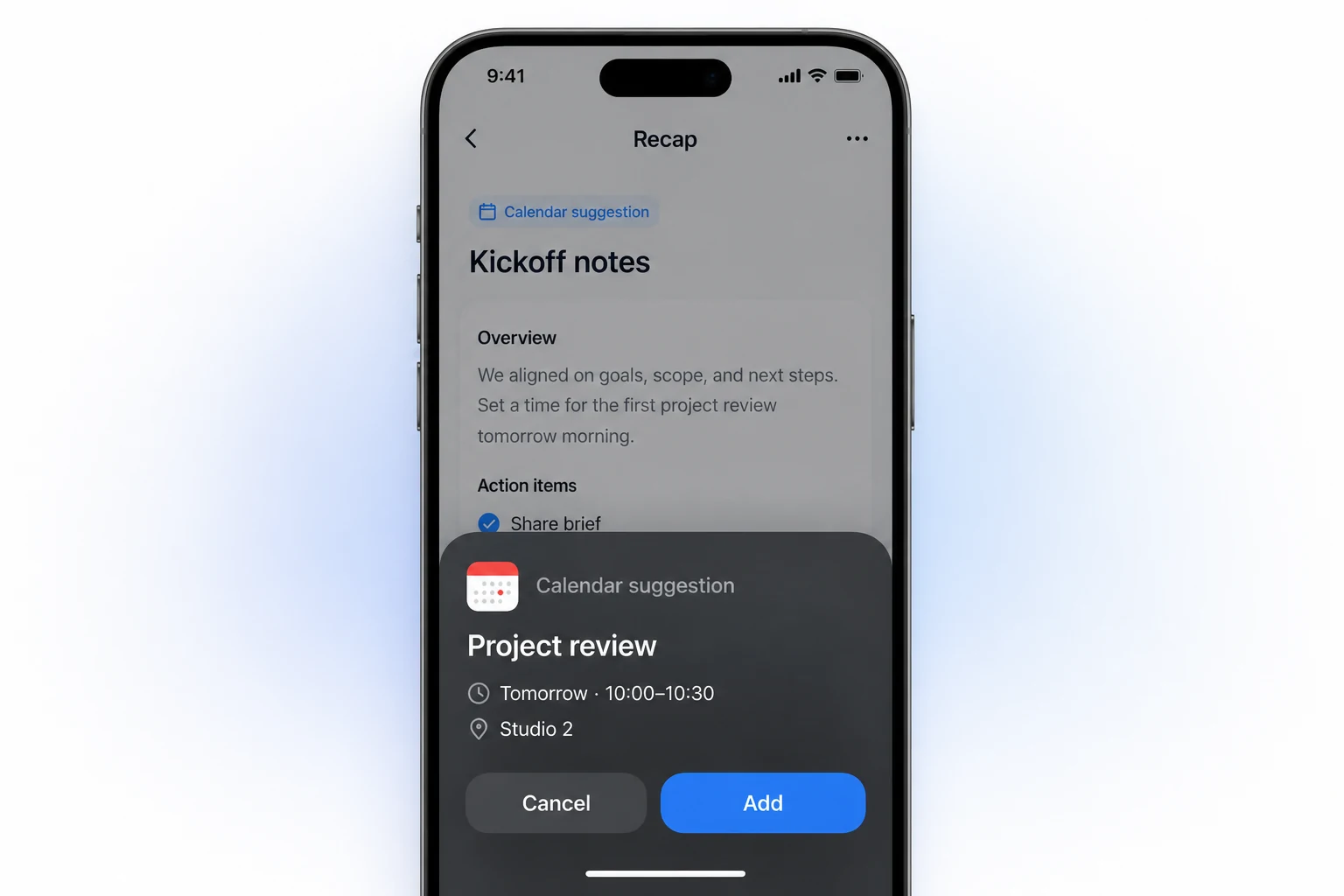
The useful document output is usually a set of fields plus a note about confidence. A clear event title and an unreadable end time should not be presented as equally certain. If a strong time signal exists, Recap can surface a reviewable Calendar Sheet, but the product boundary remains explicit: the user can confirm, edit, or cancel before anything is sent.
Links
A link carries more than its visible headline. Record the publisher, publication date when available, the page section you used, and whether the page is a primary source. If the page is a live document, note that the content may change after your review.
The structured document should separate the page's claims from your own interpretation. A useful pattern is “Source says,” followed by “Why it matters here.” This keeps a recommendation from being mistaken for a quotation.
PDFs
Treat a PDF as a set of pages with a structure, not as one long block of text. Capture the purpose, headings, tables, references, and page numbers. If it is a scan, say that the text layer is unavailable and keep a visual reference for important claims. Adobe's PDF overview describes the format's role in preserving document appearance across systems, which is also why page context matters when you quote or compare sections.
Tables deserve their own check. A copied row without its column headings can reverse the meaning of a value. Keep the table title, units, and the page where the row appears. If the PDF lists a revision date, place it beside the source entry instead of hiding it in a footnote.
Messages
Messages are rich in intent and poor in structure. A thread can mix a confirmed fact, a suggestion, a question, and a promise to follow up. Label those roles before rewriting the prose. Preserve the sender and the local timestamp for any statement that depends on “tomorrow,” “after lunch,” or “the next release.”
Do not promote “Friday may work” to a confirmed meeting. Put it under an open question or a candidate date. The useful result is often an Action document with separate sections for facts, decisions, open questions, dates, and next steps.
Use a field map to keep the document reviewable
Raw material becomes easier to use when each statement has a home. The following map is deliberately small:
- Context: Why is this source being processed now?
- Facts: What does the source state directly?
- Interpretation: What follows from those facts, and what is your reasoning?
- Uncertainty: What is missing, contradictory, or dependent on another source?
- Next step: What should a person review, confirm, send, save, or study?
This ordering gives a reader a way to challenge the document. If a claim feels too strong, go to Facts. If an action feels premature, go to Uncertainty. If the source is clear but the recommendation is not, go to Interpretation.
For a time-bearing source, add a calendar field map instead of burying dates in a paragraph. Google Calendar's event resource distinguishes start and end values, all-day status, locations, and time zones. That distinction is useful even when you are not calling an API. “Doors open at 1:45 PM” and “workshop starts at 2:00 PM” are separate facts, so they should not collapse into one start time.
The iCalendar standard also treats date and date-time values differently and defines event boundaries in a way that can affect multi-day events. See RFC 5545 before translating a date range into a calendar file. When the source is ambiguous, mark the field for review rather than selecting a default and forgetting that you did so.
Four source examples and what changes in the output
The source format changes the review questions, not the source-first principle.
A screenshot of an event notice
The document should contain the original image, a title, date, start and end times, location, link, and any arrival instruction. Put a missing time zone or a cropped address in Uncertainty. If there are two dated commitments, make two records rather than forcing them into a single event. A Calendar Sheet is useful only after those fields are visible for review.
A link to a long article
The document should identify the article's thesis, the few claims you intend to reuse, the evidence attached to each claim, and a short list of questions. A Reference mode can preserve definitions and links. An Understanding mode can add a concept map and a follow-up question. The article's headline is not a substitute for its scope or evidence.
A PDF policy or report
The document should preserve section names and page references. Pull out decisions, requirements, exceptions, and the source's own definitions. If a table supports a claim, keep the row and its headings together. A useful next step may be Workspace export for a team review, or PBL Learning when the goal is to understand a complex claim rather than execute it immediately.
A message thread
The document should distinguish what was agreed from what was merely proposed. Name an owner only when the thread does. Keep dates tied to their message timestamps, and put “needs confirmation” beside a vague commitment. From there, a person can review an action list, send a confirmed date to Calendar, or export the cleaned context to a workspace.
These are document design examples, not a claim that every source produces identical fields. The right output depends on source quality, the task, and what a person confirms. Recap's current product definition follows this same pattern: a source becomes a structured, readable Recap Document, then the user chooses among Calendar, Workspace, and Learning next steps.
Choose a destination only after review
The structured document is a staging point. Once the facts and uncertainties are visible, select the next step that matches the job.
- Calendar: Use when a time-bearing detail is confirmed and someone needs to act at a particular time. Review the title, date, times, time zone, location, and alerts before sending.
- Workspace: Use when the material needs to live with project notes, files, tasks, or a knowledge base. The source-to-workspace tool keeps the destination choice with the user instead of guessing which tool should own the result.
- Learning: Use when the source raises a question that deserves comparison, evidence, and reflection. The source-to-PBL Learning tool is for that deeper path.
Keeping these paths parallel is useful. A PDF can become a Reference document for later, an exported project brief for a team, and a set of Learning questions for the person who needs to understand it. You do not need to predict which one matters before the source is readable.
Run a source-grounded quality check
Before sharing or sending anything, read the document as if the original source were unavailable. Ask:
- Can a reader find the source and the scope that was used?
- Is every key claim either directly supported or clearly labeled as interpretation?
- Are dates, owners, and links tied to the correct context?
- Are missing or contradictory details visible?
- Does the proposed next step match the document mode?
- Could a reader correct one field without rewriting the entire document?
The NIST AI Risk Management Framework is written for organizations managing AI risk, not for personal notes, but its emphasis on documenting context, identifying risks, and keeping evaluation visible is a useful discipline here. A source-grounded document should make review easier, not hide uncertainty behind fluent sentences.
The shortest reliable workflow
When time is tight, use this compact sequence:
- Keep the original source and record where it came from.
- Name the job: Action, Decision, Understanding, or Reference.
- Separate facts, interpretation, uncertainty, and next step.
- Map dates, links, people, and page references into explicit fields.
- Review the result before sending it to Calendar, Workspace, or Learning.
That sequence works because it delays commitment without delaying progress. You get a useful document quickly, but the document still shows what a person can verify. A polished paragraph is not the finish line. A structured result that can be checked, corrected, and used is.
If you are processing a mixed batch today, begin with the source-to-structured-document tool, keep the source attached, and choose the next destination only after the review pass.
Continue in Recap
Turn this source into a Recap Document
Make it easier to read, then send time-based details to Calendar, export it to Workspace, or start PBL Learning.