

A timestamp lets you return to a moment in a video, but a useful note needs more than a number. Record the video's identity, the passage's start and end, who is speaking, and what the speaker actually says. Keep your interpretation in a separate field.
The method below uses a fictional transcript to show how to build that record. The dialogue is not taken from a real video and should not be cited as evidence about an actual workshop.
A synthetic transcript to practice with
Imagine a video titled Planning a Community Workshop, published by the fictional Harbor Learning Group. In this made-up example, the transcript contains:
| Time | Speaker | Synthetic transcript |
|---|---|---|
| 01:12 | Host | “The room opens at nine thirty.” |
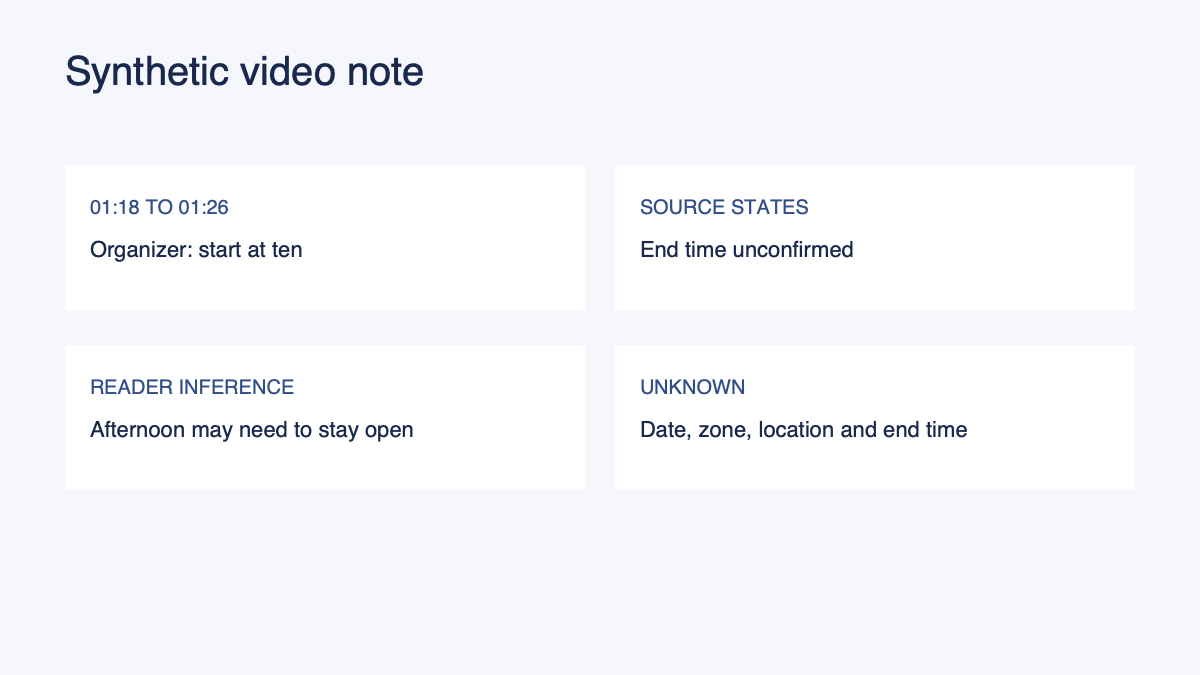
| 01:18 | Organizer | “The workshop starts at ten. We have not confirmed an end time.” |
| 01:26 | Host | “Please check the registration page before you travel.” |
A useful record for the second line could be:
| Field | Record |
|---|---|
| Source | Fictional Planning a Community Workshop video, Harbor Learning Group |
| Locator | 01:18 to 01:26 in the synthetic transcript |
| Speaker's statement | Workshop starts at ten; end time is not confirmed. |
| Status | Paraphrase of the organizer's statement |
| Reader's inference | An attendee may need to leave the afternoon open; not stated by the organizer. |
| Unknown | Date, time zone, location, and end time |
| Next check | Ask the organizer for the confirmed end time and event date. |
The range ends at the next synthetic line because that is the boundary provided in this exercise. For a real video, listen to the entire passage and adjust the end time to include the context needed to understand the statement. If a later sentence qualifies it, record that later location too.
Find the passage in the video
Start with the version you actually watched. Record the title, creator or publisher, URL, and date you accessed it. If a platform offers multiple uploads or edited versions, identify the one used for the note. A timestamp from a short clip may point to a different moment in the full recording.
When a YouTube video has captions, YouTube's transcript help says viewers can open the transcript and select a caption line to jump to its part of the video. Availability depends on the video. If no transcript is available, you can still record the time while listening; do not imply that an absent transcript was checked.
Play the passage before and after the point you intend to use. Introductions, corrections, examples, or audience questions can change the meaning of a short excerpt. A speaker might say a plan was considered and then explain that it was rejected. A note clipped before the rejection would give the wrong impression.
Choose a start point a little before the useful sentence when it helps a second reader hear the question or context. Choose an end point after any immediate qualification. You do not need a fixed number of seconds on either side. The aim is to let someone verify the thought without listening to the entire recording.
Check the transcript against the audio
Captions are useful for navigation, but their text may contain mistakes. YouTube's guidance on automatic captioning says automatically generated captions can misrepresent speech and should be reviewed. Names, numbers, negations, overlapping speakers, and background noise are places where a careful listener may need to check again.
If you cannot hear a word, write “unclear” and keep the time. Do not silently fill it in from context. If you are quoting, compare your words and punctuation with the audio or an authoritative transcript. When you only have an automatic transcript and cannot verify a passage, identify that limitation in the note.
Speaker identity can also be uncertain. A caption may not name the person speaking, and a voice-over may continue while a different person appears on screen. Record “speaker unidentified” until you have reliable evidence. A role such as “host” is useful only when the source establishes it.
Distinguish a statement from your interpretation
In the fictional transcript, the organizer states a start time and says the end time is unconfirmed. The source does not say the event lasts all afternoon. An attendee might decide to keep the afternoon open as a precaution, but that is the attendee's choice.
Write the source statement first. On a second line, mark your inference or planned action. This arrangement makes it easier to revise the interpretation if the organizer later confirms a different end time. It also prevents a personal planning choice from being forwarded as if it came from the speaker.
A paraphrase should retain the speaker's qualifications. “The end time is unconfirmed” is not equivalent to “the event ends at five.” A quotation should reproduce the words accurately and include attribution. The APA citation guidance provides separate directions for quotations and paraphrases; apply the rules required for the document you are preparing.
Make a timestamp useful after the video changes
A link and time are strongest when paired with a short description of the passage. An upload can be replaced, removed, clipped, or presented differently. A title, publisher, access date, speaker, and short context give you a way to recognize the intended passage if the link changes. They do not guarantee that the material will remain accessible.
Record both the start and end when the claim depends on a sequence. For a one-hour talk, “around minute 20” may be adequate for a private reminder but poor for a shared evidence record. Conversely, a long range without an explanation can make the next reader repeat your entire review. State what they should look for.
If a platform creates a share link at a specific time, check that it opens the intended version and moment before sending it. Test the link without assuming that all recipients have access. A private video may require permission; a timestamp does not grant it.
Use the note for a next step
After checking the original, keep the source statement and your decision together. A time-sensitive notice may lead to calendar review. A passage needed for a project may belong in an existing workspace. A difficult explanation may warrant a question for deeper learning. In each case, leave missing details visible rather than treating a transcript as a complete source record.
The evidence locator template works for video as well as text. Use the source-grounded document checklist to review the surrounding document, or start with the source-to-structured-document guide.
Common questions
Should a note use a single time or a range?
Use a single time when it is enough to find the passage. Use a range when a question, qualification, or exchange matters to the meaning. Label the time format so a reader knows whether 01:18 means one minute and eighteen seconds.
Can I rely on automatically generated captions?
Treat them as a useful starting point and check important wording against the audio. When the audio cannot be verified, say that the note is based on the available captions and keep any uncertainty visible.
What if the video has no captions?
Record the title, source, and time while listening. If a phrase is unclear, mark it as unclear rather than inventing a transcript. The lack of captions may also make the source difficult for some readers to verify; consider a suitable accessible alternative if one is available.
Continue in Recap
Turn this source into a Recap Document
Make it easier to read, then send time-based details to Calendar, export it to Workspace, or start PBL Learning.