

A recurring class screenshot with skipped dates needs an occurrence list before a repeat rule. Write down the actual sessions, the exceptions, and the final date. Then compare that list with what your calendar will create. A weekly pattern alone can miss a holiday gap or extend beyond a finite course.
This guide uses an original fictional six-session schedule. It demonstrates a manual calendar review, not measured extraction accuracy or automatic recurrence support in Recap. Calendar recurrence and exception editing take place in the destination app unless a particular product flow has been verified to support them.
Separate the pattern from the actual sessions
Look for the weekday, time interval, start date, end date, and exclusions. A notice may state "Thursdays" and then list exceptions elsewhere. Read the full image, including footnotes and material below a timetable, before assuming every Thursday is a class date.
Keep the end condition explicit. "Six sessions" and "until 26 November" are two pieces of information that should agree. If they do not, record the discrepancy and ask the organizer. Do not extend a course indefinitely because your calendar's repeat dialog has an open-ended default.
The school notice guide covers mixed school dates. This worksheet focuses on a single finite class series with exceptions and a known last session.
Build a fictional occurrence ledger
Our fictional notice says: "Drawing class, Thursdays from 15 October through 26 November 2026, 18:00 to 19:30, Studio B. No class on 5 November. Six sessions." Times are venue-local in this example.
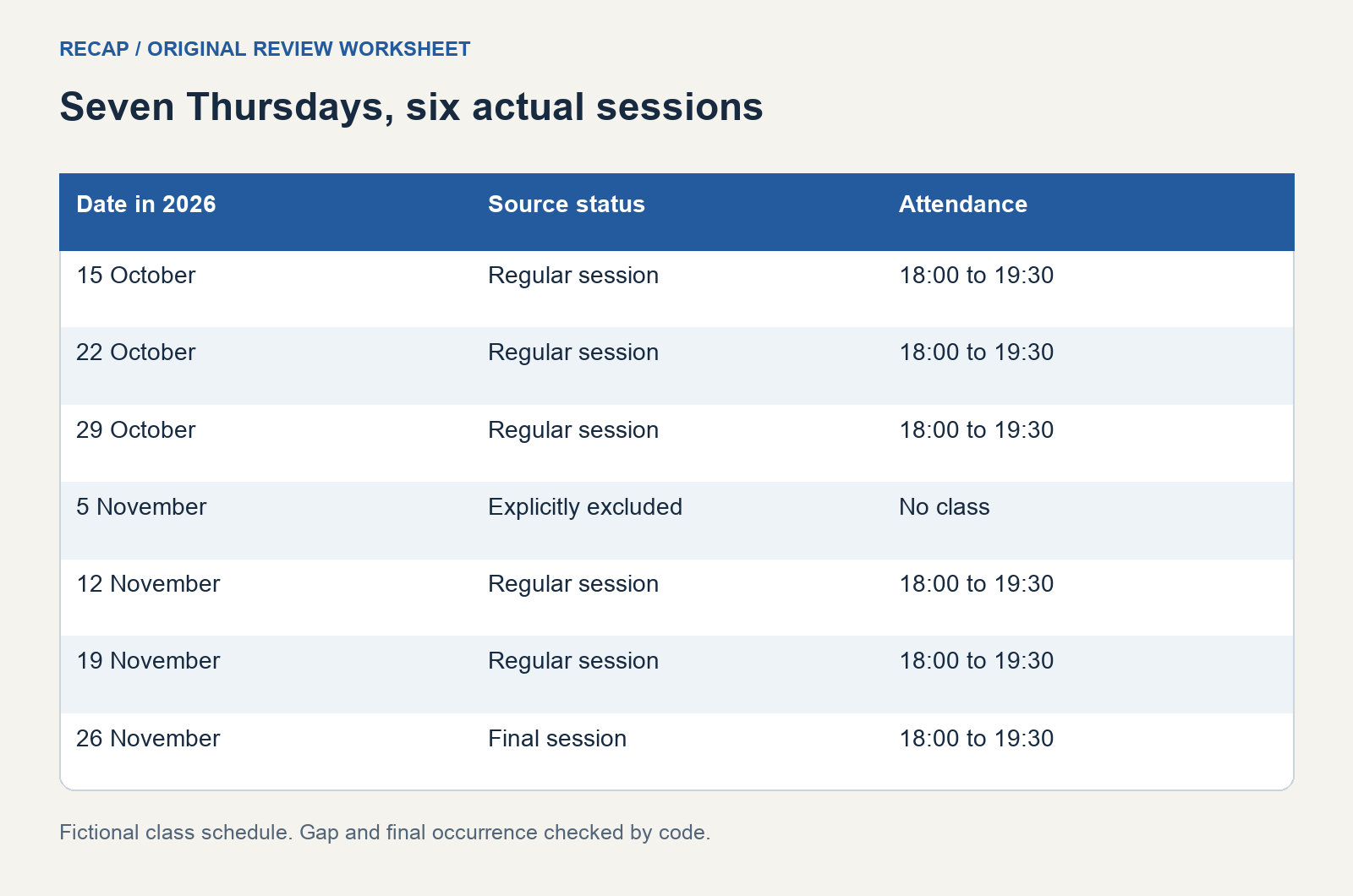
Enumerate the dates rather than counting weeks mentally. The dates are 15, 22, and 29 October, then 5, 12, 19, and 26 November. Removing the stated 5 November exception leaves six actual sessions.
| Date | Source status | Attendance record |
|---|---|---|
| 15 October 2026 | Regular session | 18:00 to 19:30 |
| 22 October 2026 | Regular session | 18:00 to 19:30 |
| 29 October 2026 | Regular session | 18:00 to 19:30 |
| 5 November 2026 | Explicitly excluded | No class |
| 12 November 2026 | Regular session | 18:00 to 19:30 |
| 19 November 2026 | Regular session | 18:00 to 19:30 |
| 26 November 2026 | Final session | 18:00 to 19:30 |
The excluded date is not a seventh session or a replacement appointment. Its row preserves why there is a gap. This can help later if another notice refers to the break week.
Check the calendar's recurrence controls
Google's recurring-event guidance describes choosing a repeat pattern and when it ends. Use the controls to express the actual notice, then inspect the resulting dates. The presence of a weekly option does not prove that a skipped week has been handled.
Apple's Calendar for Mac event guide includes event editing and repeating-event settings. Follow the instructions for your device and account. These are destination-calendar features, not a claim that a source-processing tool can create this series for you.
Depending on your destination, you may choose a bounded weekly series and adjust an exception, or create separate verified entries. Compare the resulting dates with the ledger in either case. A sequence that is easy to enter but difficult to verify is a poor match for a short course with explicit gaps.
Do not confuse session count with week count
The worked notice spans seven Thursdays but contains six classes. A recurrence count of six starting on 15 October could produce a different final date if the skipped session remains included. That is why the ledger is the check, not the number in the repeat dialog alone.
Verify how your calendar represents exceptions before relying on a count. Inspect the last actual occurrence and the excluded date. If the controls do not make the relationship clear, use explicitly dated entries or seek help for that destination rather than guessing the repeat setting.
Keep a note of the notice's stated session count. It provides an independent consistency check. If an updated schedule introduces another gap without clarifying whether the final session moves, leave the course-end question unresolved until the organizer confirms it.
Handle a one-session change separately
Suppose a fictional update says: "The 22 October class moves to Studio C. Other details unchanged." Update the ledger for that date only. The recurring pattern and the other locations remain as previously stated.
When the calendar asks which occurrences a change applies to, choose the scope supported by the notice. Inspect 22 October and a neighboring session afterward. A room change for one evening should not silently move all later classes to another studio.
If the organizer cancels another session, use the schedule change review template to preserve the revision. Record whether it is cancelled, moved, or awaiting a replacement date. Those states imply different attendance records.
Keep timezone and duration tied to the source
Retain the class's stated timezone or venue context. If the course spans a seasonal clock change, verify how the destination represents the local start time throughout the series. A repeating wall-clock time and an identical UTC timestamp are different scheduling ideas.
Google's recurring events technical guide documents timezone and recurrence concepts for developers. It is useful background for understanding why a series needs explicit context, but it is not an instruction to create API requests from this worksheet.
Do not infer the duration from another class or a calendar default. The fictional schedule supplies 18:00 to 19:30 for every listed session. If your real notice gives only a start, record the missing end and ask when the answer affects transport or another commitment.
Verify the series using a few decisive dates
Inspect the first session, the date just before the gap, the excluded date, the first session after it, and the final session. Then compare the full occurrence count with the ledger. These checks cover the boundaries where an incorrect rule is likely to show itself.
Search for duplicate individual entries if you changed from a series to separate events. Inspect their calendar names before removing anything; a class may appear in both a personal copy and an organizer subscription. Decide which record you intend to maintain.
Keep the original schedule and later notices together so the ledger remains explainable. For the source-processing starting point, see Screenshot to Calendar. The finished review should establish the actual six sessions, the explicit gap, the last class date, and the unresolved details that still need an organizer's answer.
Continue in Recap
Turn this source into a Recap Document
Make it easier to read, then send time-based details to Calendar, export it to Workspace, or start PBL Learning.