

A note becomes harder to trust when its source is no longer close at hand. A sentence survives a copy, but its author, date, and supporting passage do not. Months later, a reader sees a confident statement and cannot tell whether it came from a document, a colleague, or the note writer's interpretation.
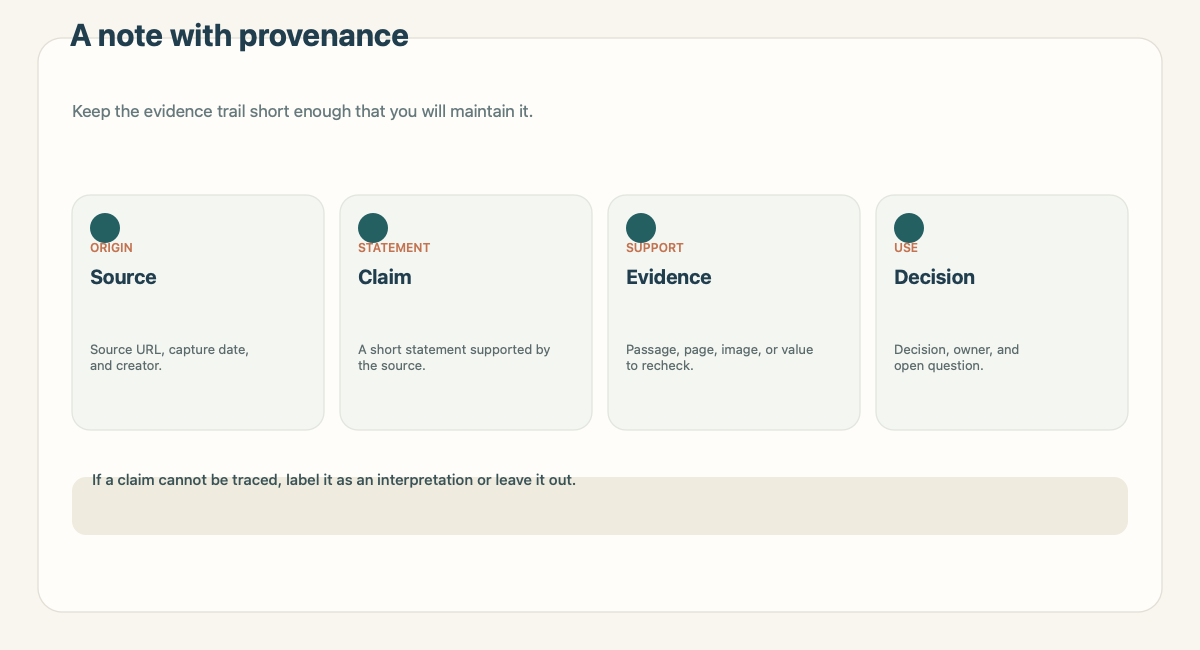
Saving source context does not require a formal archive. It requires a small trail that answers three questions: where did this come from, what supports the claim, and what did someone do with it? The W3C's overview of provenance describes provenance in terms of entities, activities, and people involved in producing information. A working note can apply that idea with ordinary fields and links.
Keep the trail close to the claim
A source link at the bottom of a long page is easy to miss. Put the reference beside the paragraph, number, or decision it supports. If the note includes several sources, label them. A future reader should not have to infer which link supports which sentence.
The record can be short:
| Field | Example |
|---|---|
| Source | Original article URL or file name |
| Captured | The date the material was saved |
| Claim | The specific statement worth retaining |
| Evidence | Section title, page, figure, or quoted passage |
| Interpretation | Your explanation, clearly marked |
| Decision | What you chose or still need to confirm |
Use the fields that help you revisit the note. A stable internal reference may be enough for a file in a controlled workspace. A web URL is usually more helpful for a public source. When a page is likely to change, add the capture date or a short excerpt so you can see what you relied on.
Separate what you read from what you concluded
The most useful habit is to label interpretation. Consider this fictional example:
- Source claim: “The review meeting is scheduled for October 14 at 2 p.m.”
- Evidence: The date and time in the meeting notice.
- Interpretation: “The project milestone probably moves to the same day.”
- Decision: “Confirm with the project owner before updating the shared plan.”
The first sentence reports the source. The second points to evidence. The third is an inference. The last keeps a change from being treated as approved before someone confirms it.
This separation also helps when a claim changes. You can update the summary without losing what the source originally said. If the source is ambiguous, write that down. “The date is unclear” is more useful than choosing the date that seems most plausible.
Use a small provenance template
Start with six fields and add more only when a real question requires them:
- Source: link, file, sender, or capture location.
- Captured: the date you saved it.
- Claim: one concise statement supported by the material.
- Evidence: a passage, page, image, or value to check.
- Interpretation: what you think the evidence means.
- Next step: a confirmed action, owner, or open question.
This is not a citation style or a compliance form. It is a way to keep a useful note connected to its origin. The W3C PROV family provides a formal way to represent provenance for data and systems; a personal note can use the same basic distinctions without implementing that model.
Make the fields usable in your workspace
If you store notes as Markdown files, put the source and capture date in a small metadata block or near the opening paragraph. Obsidian's official Properties guide describes built-in property types such as text, list, number, checkbox, date, and tags. Its internal links guide documents both Markdown links and Obsidian wikilinks.
Those details matter when a note moves. A standard Markdown link is easier to read outside one vault. A wikilink can be convenient inside a vault that uses Obsidian's linking behavior. If portability matters, choose the link form deliberately and test it after the file is moved. Do not write a plugin into the workflow unless the person receiving the note also has that plugin.
In a database, use a source field for the URL and a date property for capture. The page body can hold the evidence and interpretation. In a shared document, put the source beside the claim and keep open questions visible to reviewers. A system should make the trail easier to follow, not force every detail into a field.
What to do when a source changes
An online source may be edited, moved, or removed. A note should make the time of capture clear when the exact version matters. Keep a short excerpt only when you have a legitimate reason to retain it and it is lawful and appropriate to do so. A date does not prove that a copied passage is complete, so identify the page or section as well.
If the source is an email or private message, describe its location without copying sensitive details into a broader workspace. A link that only works for one person may not help a teammate. In that case, ask whether the team can use a shared source, a permitted excerpt, or a short note that identifies who can provide access.
For a decision, also preserve the status. Was it proposed, confirmed, or superseded? Use a dated change note when the answer shifts. A clear current state and a small history are easier to maintain than silently rewriting the original note.
Review notes before they travel
Before moving source-backed notes into a second system, read them once as someone who did not see the original. Can that person find the evidence? Can they distinguish a quote from an interpretation? Do the link and capture date travel with the file? Does the next step have a real owner?
The source-to-workspace workflow guide expands this into a destination-neutral handoff. Use the source-to-workspace page when the information should live with project material. The Recap Document guide explains how the readable document can sit between a source and its next use.
A source-backed note should stay modest. Keep what you can verify, label what you infer, and leave unknown details open. That makes the note useful without making it sound more certain than the material underneath it.
Continue in Recap
Turn this source into a Recap Document
Make it easier to read, then send time-based details to Calendar, export it to Workspace, or start PBL Learning.